

Most small businesses do not need a custom AI model. They need an answer agent that knows their hours, their menu, their service area, the fact that the wi-fi password is on the chalkboard, and the fact that they take Apple Pay. They need it to be available 24/7, in the right tone, and to never confidently invent a price. That is exactly the product GIGI ships as on every GEO portal on hashtag.org: not a generic chatbot, but a portal-grounded AI agent that answers from your data, takes messages when it cannot answer, and books calls when it can. The defaults are good. With ten minutes of intentional setup, they get noticeably better.
This article is the ten-minute setup. We will take a fresh portal from the out-of-the-box experience to a tuned agent that sounds like you, knows what you sell, and books the right calls without the visitor ever feeling like they are talking to a bot. None of the steps require code, an OpenAI key, or knowing what a model parameter is.
What is happening under the hood (one paragraph)
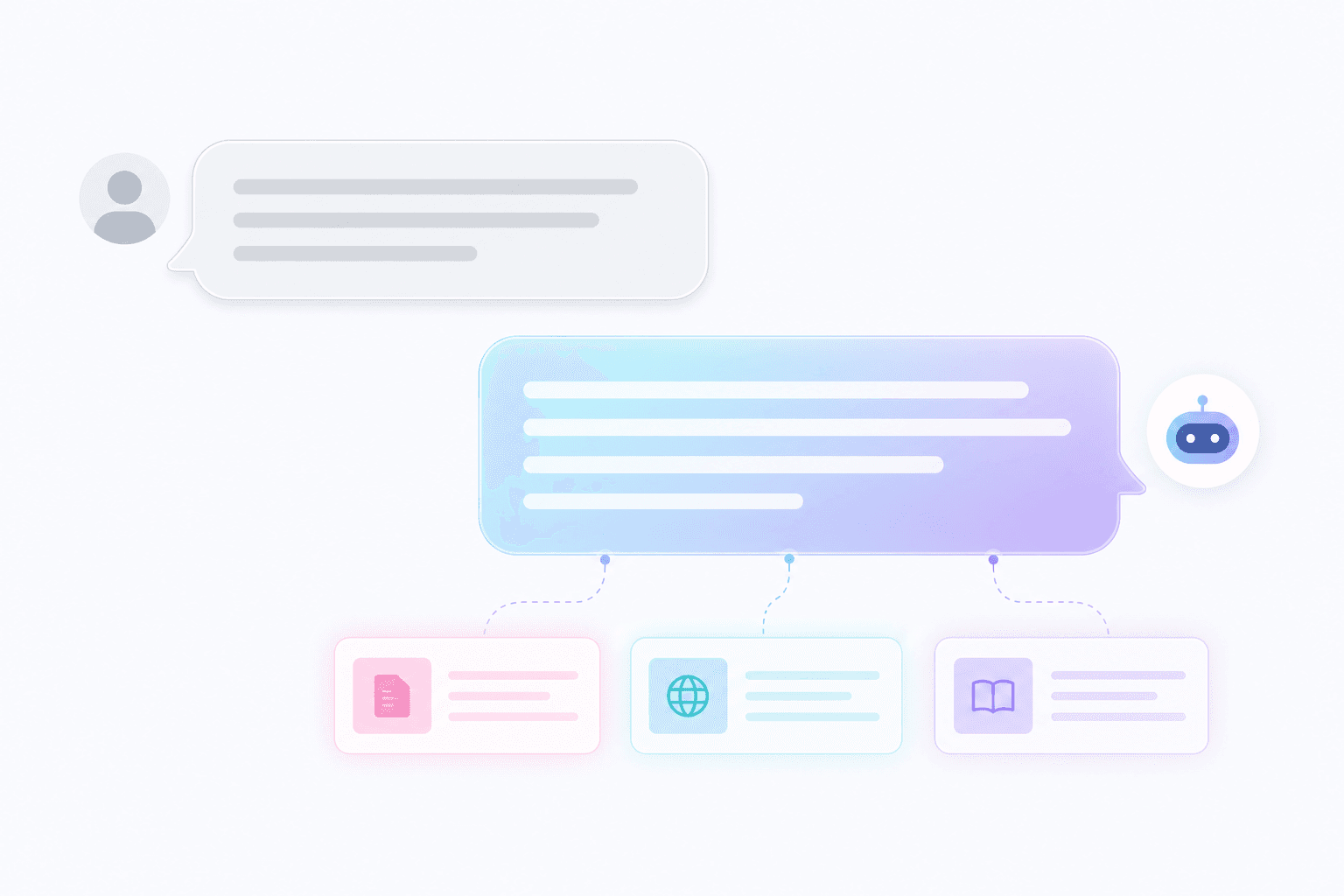
Every visitor message goes through three stages. First, retrieval: GIGI looks up the most relevant chunks of your portal data (description, hours, menu, FAQ, recent posts, products) using a vector index. Second, prompting: those chunks are injected into a prompt alongside the visitor’s message and a system prompt that encodes your tone and your business rules. Third, inference: the prompt is sent to a large language model, which produces the answer. The whole pattern is called retrieval-augmented generation (RAG), and it is the standard defense against the model making things up. If the answer is not in the retrieved chunks, the agent is instructed to say so and offer to take a message instead of guessing.
The good news for you is that none of this matters operationally. You do not pick the model, you do not write code, and you do not tune embeddings. Your job is to make sure the data the agent retrieves is honest, complete, and current.
Step 1 (2 min): The three sentences that ground everything
Open your portal admin and look at the “About” field. This is the highest- leverage piece of text in the entire system. The first three sentences here will be retrieved on almost every visitor question. Write them like a bartender introducing you to a stranger:
- What you do, in plain English. “We’re a third-wave coffee shop in downtown Asheville, NC.”
- Who it is for. “We’re the early-morning bridge-crew shop, open at 6am weekdays, and the slow-pour shop on weekends.”
- One specific, true, contrarian thing. “We’re the only shop within fifteen blocks that grinds Chemex on demand and stocks four roasters at any time.”
Avoid corporate filler (“we deliver world-class experiences”), avoid listing every service (you have an FAQ for that), and avoid hashtag.org-marketing speak (“we are a Web3 spatial portal”). Visitors and the agent both want the human version.
Step 2 (1 min): Hours and contact, exactly
The single most-asked question on every portal is some variant of “are you open?” or “how do I reach you?” If your hours are wrong, GIGI will confidently quote them wrong; the model is doing exactly what you told it. Open the Hours and Contact sections in admin and fill in:
- Each weekday with the actual current hours, including any seasonal closures.
- A live phone number you actually answer, or, if you don’t want a phone, the one direct channel you do answer (an email, a chat, a Calendly).
- A “best time to reach” line if it varies. The agent will quote it.
Five minutes of typing here saves you weeks of “sorry, we tried calling and you never picked up” messages. We have seen portals double the percentage of visitor messages that turn into actual conversations after correcting just these two sections.
Step 3 (3 min): The five FAQ entries that cover 80% of inbound
Every business has the same five questions visitors ask before buying. List yours explicitly inside the FAQ tab in admin. Don’t make GIGI infer them from marketing copy; type the question and the answer in plain language. For most portals, the right list is some flavor of:
- What do you actually sell / what services do you offer?
- How much does the most common thing cost? (or: how is pricing structured?)
- Where are you / do you serve my area?
- How do I book / order / start?
- Why should I pick you over (the obvious nearby competitor)?
Answer each in two-to-four sentences. Keep numbers and policies precise: if the cancellation policy is “24 hours or full charge,” say that. Keep tone consistent, so if you wrote your About section like a friend, write the FAQ like a friend, too. The agent will retrieve these almost verbatim, and a confident, direct FAQ raises trust faster than any clever copy.
Pro tip: the “dumb question” entry
Add one FAQ entry titled “What if my question isn’t here?” with the answer being your single most-frequented escape hatch (book a call, send a message, text us at). This becomes GIGI’s default move when retrieval comes back empty. Without it, the agent falls back to a generic “I don’t have that info, sorry” which converts at zero. With it, the visitor gets a real next step.

Step 4 (2 min): Tone and voice
Out of the box, GIGI’s tone is calibrated for the portal type (a real-estate agent reads more formal than a coffee shop). To override it, open the “Agent voice” section in admin and answer two questions:
- Address visitors as: first name? “you”? “y’all”? The default is “you,” which is right for almost everyone.
- Vibe: warm and conversational; concise and direct; technical and precise; playful. Pick one. We will translate it into the agent’s system prompt.
If you are bilingual, add the second language in the same section. The agent is multi-modal and multilingual; it will respond in whichever language the visitor opens with.
For brand-critical phrasing (the way you always describe your premium service, the way you say goodbye in messages), drop those exact lines into the “Phrases I use verbatim” field. The agent will use them where appropriate and avoid rewriting them.
Step 5 (1 min): The tool surface
An agent that can say things but cannot do things is half a product. GIGI ships with a small set of tools that let it act on the visitor’s behalf. From the “Tools” tab, switch on the ones that match your business:
- Take a message. Always on by default. The agent collects name + contact + the visitor’s message and emails you. Don’t turn this off.
- Book a call. If you have a Calendly, Cal.com, or another booking link, paste it here. The agent will offer it when relevant (“want me to set up a 15-min intro?”).
- Show a product / service. If you listed products, the agent can surface them as cards inline. This is the difference between “we have a few options” and “here’s the $129 one with shipping next Tuesday.”
- Hand off to voice. Optional. Lets visitors continue the chat as a phone call to your voice agent. Useful for long-decision purchases.
Two seconds of policy worth knowing: tool calls that cost compute (long agent tasks, voice minutes, image generation) are billed against your Gigi credits balance. We hold an estimated cost in escrow, debit the actual cost when the call settles, then release the rest. The Gigi credits nav widget shows held vs. spendable in real time.
Step 6 (1 min): Test it like a visitor
Open your portal in an incognito window and ask the agent five questions you know the answer to. The right test set is:
- An hours question. (“Are you open Sunday morning?”)
- A specific-product question. (“Do you carry oat milk?” / “How much for an hour of coaching?”)
- A “not on the page” question. (“Do you do weddings?” if you don’t)
- A scheduling question. (“Can I book a call?”)
- A long, weird question. (“Can your dog hang out at our wedding?”)
For #1 and #2, the answer should match your data exactly. For #3, the agent should say it doesn’t do that and offer the escape hatch. For #4, the booking link should appear. For #5, the agent should not invent a yes: if your portal doesn’t mention dogs, the agent should not pretend it has a policy. If any of those answers are wrong, fix the underlying data and re-test. The model is not the bug; the inputs almost always are.
What you should not do
Three temptations creep up after the first day with a working agent. Resist all three.
- Don’t paste your entire website into the FAQ. Bigger context isn’t better; the agent has a finite context window and noisy data crowds out signal. Curate.
- Don’t over-script. The agent is good at conversation; pinning it down to ten exact phrases makes it worse, not better. Set tone and let it talk.
- Don’t train it to lie. If your portal says you have hours you don’t actually keep, the agent will quote them. Visitors will arrive to a locked door. Update the data, not the agent’s behavior.
The advanced track (optional)
Once the basic agent is humming, three upgrades are worth considering:
- Voice. Turning on the voice agent lets visitors call you and have GIGI take messages or answer FAQs out loud, in the same tone as the chat. Most portals find this drives a measurable lift in message-to-conversation rate, especially for service businesses.
- Document grounding. If you have a price list, a service brochure, or a long FAQ doc, upload it under “Knowledge” in admin. The agent chunks and indexes it, and you do not have to copy-paste the contents into the FAQ tab. We support PDFs, plain text, and pasted markdown.
- Per-channel tone. Some portals want a more formal voice for incoming SMS and a chattier voice in the chat widget. Both can be set independently from the same admin page.
We deliberately do not expose model selection or prompt internals. The platform chooses the right model for the request type, sized for the right context window and cost. The number of portal owners who would meaningfully improve their agent by hand-picking a model is in the single digits; the number who would accidentally make it worse is in the thousands. We do the boring work; you focus on the data.
FAQ
Will the agent invent prices if I don’t list them? No. Out-of-the-box system prompts forbid that, and the RAG pipeline will refuse to answer specific dollar amounts that aren’t in the retrieved chunks. It will offer to take a message instead. (If you ever see it invent a number, send us the transcript. It’s a bug, not a feature.)
Can I read every conversation? Yes. Every chat is logged in your portal admin’s “Conversations” tab; you can read transcripts, flag bad answers, and export contacts. Inbound messages count as first-party data; they belong to you.
Can the agent take payment? Indirectly. It can surface a product or service card with checkout, and the visitor completes payment in the same flow. The agent itself does not handle card details.
What happens at high volume? Concurrency is handled at the platform level. If you suddenly receive a thousand simultaneous visitors, the agent stays responsive; only your account balance for tooled actions can become a constraint, and the credits nav widget warns you well before it hits zero.
How do I turn the agent off temporarily? The Agent toggle in admin sets it to “take a message” mode, where visitors get a static you-are-away message and the form to leave a note. We don’t recommend going offline often, but the option is there for vacations and outages.
Where to go next
If you have not yet, claim your #Name first with the 60-second guide. After the agent is dialed in, the next conversion lever is being findable: read Win the keyword you actually want for the keyword auction mechanic, and Stop renting your audience if you are migrating from a third-party platform. When you’re ready to make ownership of your #Name formally un-takeable, finish with From email signup to self-custody.